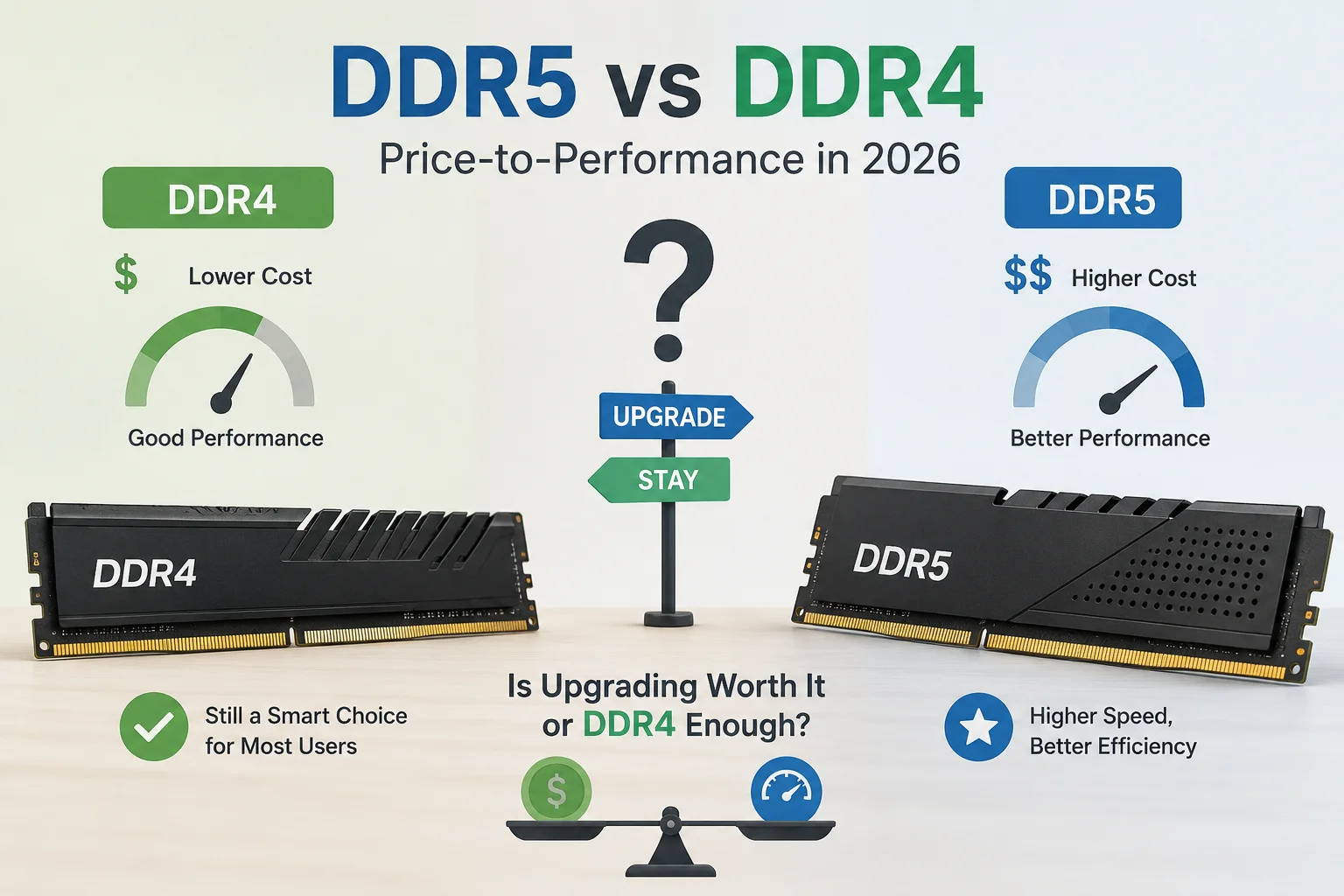
Every RAM listing in 2026 tries to sell you the same story: DDR5 is faster, so DDR5 is better, so you need it. That's technically true and mostly irrelevant. The real question isn't which memory standard has the bigger number on the box — it's whether that number changes anything you'll actually feel while gaming, editing, or just running twelve browser tabs at once. With RAM prices still elevated across both generations, that question has a real dollar amount attached to it now, not just a hypothetical one.
Short & Fast Answer: Do You Need DDR5 in 2026?
If you're building a brand-new PC on a current AMD or Intel platform, you don't have a choice — it's DDR5 only, so the debate is moot. If you already own a working DDR4 system, the honest answer is: keep it. DDR4 still delivers 90-98% of DDR5's real-world gaming performance in most titles, and the gap only opens up in CPU-bound scenarios, heavy multitasking, or bandwidth-hungry creative work. Upgrading makes financial sense mainly when you need a new CPU anyway, not for the RAM alone.
So What Actually Changed Between DDR4 and DDR5
DDR5 isn't just "DDR4 but faster." JEDEC, the industry body that writes the actual memory standards, redesigned several parts of the architecture rather than just bumping the clock speed. Each DDR5 module splits into two independent 32-bit subchannels instead of one 64-bit channel, moved voltage regulation onto the module itself with a built-in PMIC, dropped operating voltage from 1.2V to 1.1V, and added on-die error correction as standard rather than a server-only feature. You can read the full spec history directly from JEDEC, and Micron's consumer brand has a solid plain-language breakdown on its Crucial DDR5 explainer page.
Bandwidth vs. Latency: The Part Most Comparisons Skip
This is where most "DDR5 is better" articles stop being honest. DDR5 wins big on paper bandwidth — a DDR5-6400 kit can push around 51.2 GB/s per module compared to roughly 25.6 GB/s for DDR4-3200, basically doubling theoretical throughput. But bandwidth isn't the whole story. DDR5's higher clock speeds come with looser CAS latencies out of the box, so the actual time it takes to fetch a single piece of data (measured in nanoseconds, not MT/s) is often only marginally better than a well-tuned DDR4-3600 kit, and sometimes barely different at all. In plain terms: DDR5 moves more data per second, but each individual request isn't dramatically quicker. That distinction is exactly why the performance gap in games — which are more latency-sensitive than bandwidth-sensitive — is smaller than the spec sheet suggests.
DDR5 vs DDR4 at a Glance
| Spec | DDR4 | DDR5 |
|---|---|---|
| Typical speed range | 2133–3600 MT/s (up to ~5100 MT/s overclocked) | 4800–8000+ MT/s |
| Max bandwidth per module | ~25.6 GB/s | ~51.2 GB/s and climbing |
| Operating voltage | 1.2V | 1.1V |
| Max module capacity | 32GB (consumer), 64GB rare | Up to 128GB on some platforms |
| Error correction | ECC only on workstation/server modules | On-die ECC built into every module |
| Channel design | Single 64-bit channel | Dual 32-bit subchannels per module |
| Compatible sockets (2026) | AM4, older LGA1700 boards | AM5, LGA1851, newer LGA1700 boards |
| Physical compatibility | Not interchangeable — different notch, different slot | Not interchangeable — different notch, different slot |
Gaming Performance: Where the Gap Is Real (and Where It's Noise)
This is the part gamers actually care about, so let's be specific instead of vague. Across independent 2026 benchmark runs, the pattern is consistent:
- 1080p, CPU-bound titles: DDR5 pulls ahead by roughly 4-14%, with the biggest gains showing up in 1% low frame rates (the stutters, not the average FPS) rather than peak numbers.
- 1440p and 4K, GPU-bound titles: The gap shrinks to near zero. Once your graphics card becomes the bottleneck, memory generation barely registers. If you're chasing higher resolution gaming, your money is better spent on the GPU — our budget GPU picks for 1440p will move the needle far more than a RAM swap.
- Open-world, streaming-heavy games: Titles that constantly stream assets from memory (large open worlds, texture-heavy simulation games) show DDR5's biggest real advantage, sometimes climbing past 20% in worst-case frame drops.
- Esports titles at high refresh rates: Games like competitive shooters that are already CPU-limited by design can show a wider gap, since every extra bit of latency headroom translates directly into frame time consistency.
Worth noting: VRAM and system RAM are not the same conversation. If your GPU is running out of video memory, no amount of DDR5 will fix that — that's a separate bottleneck we cover in our VRAM sufficiency breakdown.
Everyday Use and Multitasking
For browsing, office work, video calls, and general desktop use, DDR4 and DDR5 are functionally indistinguishable. Windows doesn't care which generation you're running when you're switching between Chrome tabs and a spreadsheet. Where multitasking starts to matter is heavy multitasking: running a game, a Discord call, an OBS recording, and a browser with forty tabs open at the same time. In that scenario, capacity matters more than generation — a 32GB DDR4 kit will outperform a 16GB DDR5 kit every single time, because you're avoiding disk swapping, not chasing bandwidth.
Productivity and Creative Work: Where DDR5 Actually Pays Off
This is the category where DDR5's bandwidth advantage stops being theoretical. Video editing in Premiere Pro or DaVinci Resolve, 3D rendering in Blender, large batch photo exports, and compiling big codebases all lean heavily on memory bandwidth rather than latency. Reported gains here run from about 10% to 20%, and in some Lightroom and rendering benchmarks the difference has been measured closer to 25-28%. If your daily work genuinely hammers your RAM — not occasionally, but constantly — DDR5 earns its premium faster than it does for gaming. Office documents, web browsing, and casual photo editing don't qualify; export-heavy video work does.
Price-to-Performance in 2026: What You're Really Paying For
Here's where the decision gets uncomfortable, because 2026's memory shortage has warped the math for both generations, not just DDR5. Approximate per-GB pricing as of mid-2026:
| Kit | Approx. price range (32GB) | Approx. $/GB |
|---|---|---|
| DDR4-3600 32GB (2x16GB) | $99–$220 | ~$5.50–$7.60 |
| DDR5-6000 32GB (2x16GB) | $130–$450+ | ~$12–$19 |
DDR5 typically costs anywhere from double to triple DDR4 per gigabyte right now, and pricing swings weekly enough that Tom's Hardware runs a live daily RAM price tracker just to keep up. If you're curious whether ditching modern RAM entirely and going back further is a serious option, we already tested that logic in our DDR3 downgrade breakdown — short version, it isn't, for most people.
The math that actually matters: divide the price difference by the performance difference. Paying 2-3x more for a 4-8% average gaming uplift is a bad trade for most builds. Paying that same premium because your video export times drop by 20% and you export daily is a completely different calculation.
Motherboard and CPU Compatibility: The Platform Lock-In Problem
This is the detail that actually decides your options, more than any benchmark does. DDR4 and DDR5 modules are not interchangeable in any way — different notch position, different pin count, different voltage delivery. You cannot adapt one to work with the other.
- AMD AM5 (Ryzen 7000/8000/9000): DDR5 only, no exceptions.
- AMD AM4 (Ryzen 5000 and earlier): DDR4 only, and this platform is effectively end-of-life for new boards.
- Intel LGA1851 (Core Ultra 200-series and newer): DDR5 only.
- Intel LGA1700 (12th-14th gen): Split — some boards support DDR4, others DDR5. Check before buying, this trips people up constantly.
In short: if you're already on AM5 or LGA1851, you never had a DDR4 option to begin with. If you're on AM4 or an older LGA1700 DDR4 board, "upgrading RAM" really means upgrading the entire platform. That's the context worth reading alongside our CPU, RAM, motherboard, and GPU pairing guide before you commit to anything.
Upgrade Paths: What Actually Happens When You Switch
Moving from DDR4 to DDR5 is never a RAM-only purchase. It requires, at minimum, a new motherboard, and in almost every real case, a new CPU too, since current DDR5-only sockets pair with newer CPU generations. Budget realistically for motherboard plus CPU plus RAM together — not the RAM kit in isolation — because that's the actual bill. A $150 "cheap" DDR5 kit can sit on top of a $400+ platform change, and that context gets lost in kit-only price comparisons.
DDR4 vs DDR5: Pros and Cons
DDR4 — Pros and Cons
- ? Cheaper per gigabyte, even during the current shortage
- ? Massive installed base — cheap used and second-hand kits are widely available
- ? Perfectly adequate for 1440p/4K gaming, where the GPU is the real bottleneck
- ? No platform upgrade needed if you already own a compatible board
- ? Capped platform lifespan — AM4 and older LGA1700 aren't getting new CPU generations
- ? Lower ceiling for bandwidth-heavy creative and AI-adjacent workloads
DDR5 — Pros and Cons
- ? Meaningfully faster in bandwidth-heavy productivity and rendering tasks
- ? Higher capacity ceilings for future-heavy multitasking or local AI tools
- ? On-die ECC and lower voltage for better long-term stability and efficiency
- ? The only option on every current-generation platform going forward
- ? Still carries a real price premium per gigabyte in 2026
- ? Gaming gains are small to negligable outside specific CPU-bound scenarios
- ? Forces a full platform upgrade if you're coming from DDR4
Who Should Upgrade, and Who Should Wait
- Building a new PC from scratch: You're getting DDR5 by default on any current platform — this isn't really a decision anymore.
- Happy gamer on a working DDR4 rig: Wait. Put the money toward a GPU or an SSD instead; you'll feel that upgrade far more.
- Video editor, 3D artist, or developer compiling large projects daily: DDR5's bandwidth advantage is real for you specifically — it's a legitimate upgrade case.
- Running an old AM4 or early LGA1700 system that needs a CPU upgrade anyway: Since you're paying for a new motherboard regardless, go DDR5 rather than buying into a dying DDR4 platform again.
- Budget-first builder: A capable DDR4 platform, bought used or on sale, still builds a genuinely strong gaming PC for less total money.
Alternatives to a Full DDR5 Upgrade
- Add capacity instead of switching generations. Going from 16GB to 32GB DDR4 often fixes stutter and multitasking issues that people mistakenly blame on "old RAM."
- Buy used DDR5. A two-year-old DDR5-6000 kit performs identically to a brand-new one and often sells well under shortage-inflated retail pricing.
- Tighten your existing DDR4 timings. Enabling XMP/EXPO on a kit that's running at stock JEDEC speeds can recover a surprising amount of "free" performance with zero cost.
- Redirect the budget to the GPU. At 1440p and above, a better graphics card almost always beats a RAM generation swap for actual FPS gained per dollar.
Frequently Asked Questions
Is DDR5 worth it for gaming in 2026?
Only in specific cases — 1080p CPU-bound titles and open-world streaming-heavy games show a real gain. At 1440p and 4K, the difference is close to noise, since the GPU is doing the heavy lifting.
Can I mix DDR4 and DDR5 in the same PC?
No. They're physically and electrically incompatible — different notch position, different pin count, and no motherboard supports both in the same slots.
Is DDR4 still being sold and supported in 2026?
Yes, though selection is narrower than DDR5 now and pricing has also risen due to the broader memory shortage. It's still readily available for AM4 and select LGA1700 boards.
Should I upgrade just the RAM without changing my motherboard?
You can't move to DDR5 without a new motherboard, since DDR5 physically won't fit a DDR4 slot. If your board only supports DDR4, adding more DDR4 capacity is your only RAM-only option.
How much RAM do I actually need in 2026?
16GB is the realistic minimum for gaming and general use. 32GB is the comfortable sweet spot for multitasking, streaming while gaming, or light creative work, regardless of whether it's DDR4 or DDR5.
Will DDR4 prices come back down?
Prices for both generations have been driven up largely by manufacturers prioritizing AI and server memory production over consumer supply. There's no fixed timeline for when that eases, so buying based on current need rather than waiting indefinately is the safer approach.
Finally ..
If you already own a working DDR4 PC, don't upgrade for RAM alone. The real-world gaming difference is too small to justify 2026's inflated DDR5 pricing, and DDR4 still handles everyday use, multitasking, and even 1440p/4K gaming without complaint. DDR5 earns its place when you're building new, when your CPU needs replacing anyway, or when your actual workload — video editing, 3D rendering, heavy compiling — leans on memory bandwidth every day. Everyone else can safely sit this generation gap out and spend the savings on a part they'll actually notice, like a GPU or an SSD.


Comments 0
Be the first to comment!