
Your PC has 16GB of RAM. The model page says “14B.” Your mouse is already hovering over Download.
Congratulations: you have reached the local-AI version of trying to fit a sofa through a bathroom window.
The good news is that 16GB is still enough to run genuinely useful local language models in 2026. The bad news is that parameter count alone tells you surprisingly little about whether the experience will be fast, slow, smart, dumb, or approximately as responsive as a printer from 2004.
The more important number is often hiding at the end of the filename: Q2_K, Q4_K_M, Q5_K_M, Q8_0 and similar GGUF quantization labels.
What Quantization Is Actually Doing to the Model
A model's billions of parameters are essentially enormous collections of numerical weights. In a high-precision version those weights may use 16 bits each, sometimes more. Quantization stores them using fewer bits, plus scaling information that lets the inference engine reconstruct useful approximate values during computation.
This is why an 8-billion-parameter model does not always consume 16GB. The same underlying model can become a roughly 4–5GB GGUF at Q4, around 5–6GB at Q5, or close to 8GB at Q8 depending on architecture and exactly how tensors are quantized.
The official llama.cpp quantization documentation, for example, lists its Llama 3.1 8B example at approximately 4.58 GiB for Q4_K_M, 5.33 GiB for Q5_K_M and 7.95 GiB for Q8_0.
That doesn't mean every 8B model will produce those exact sizes. Modern GGUF files can mix precision across different tensors, which is one reason a file labeled “Q4” isn't literally four bits for every single value. The Hugging Face GGUF documentation goes into the individual encoding formats in more detail.
| Quantization Tier | Memory Character | Quality Character | 16GB RAM Use |
|---|---|---|---|
| Q2 / ~2–3 BPW | Extremely compact | Noticeable degradation, model dependent | Useful mainly when squeezing in a larger model |
| Q4_K_M | Compact | Good balance | Usually the practical sweet spot |
| Q5_K_M | Moderately larger | Closer to higher precision | Excellent when there is enough headroom |
| Q8_0 | Large | Very small quantization loss | Best suited to smaller models on 16GB |
In other words, choosing Q8 because “eight is better than four” can be the wrong move. You may preserve a tiny bit more model quality while giving away memory headroom, context capacity and sometimes generation speed.
Practical verdict: On a normal 16GB PC, start by looking at Q4_K_M or Q5_K_M rather than automatically downloading Q8. Q8 makes more sense when the model itself is already small.
The 16GB RAM Number on the Box Is Not Your 16GB LLM Budget
Windows, your browser, drivers, antivirus software, launchers and whatever collection of forgotten tray icons has colonized the bottom-right corner of your desktop also need memory.
A sensible 16GB system should usually leave several gigabytes untouched instead of designing the setup around “15.9GB used.” If your LLM stack pushes the machine into heavy paging, Windows begins relying on the SSD as emergency memory. An NVMe drive is fast for storage; compared with DRAM it is definately not fast enough to impersonate system memory during token generation.
This issue is especially relevant now that memory pricing has become a bigger part of PC-building decisions, something we covered separately in why RAM prices are rising in 2026.
16GB installed RAM — a sensible mental picture

[ Windows + services ]     ~3–5GB
[ LLM weights          ]   variable
[ KV/context cache     ]   grows with context
[ compute buffers      ]   variable
[ safety headroom      ]   don't ignore this
Those are planning ranges rather than universal measurements. The exact total changes with operating system, architecture, backend, context length and whether part of the model sits in VRAM.
A Bigger Context Window Is Quietly Eating Your Memory
People often compare a 4K-context run with a 32K-context run as though context length were only a software setting.
It isn't.
During inference, the model maintains cached attention information so it doesn't need to recompute the entire conversation from scratch for every new token. This is generally called the KV cache. Its memory requirement increases roughly with context length, although the exact amount depends heavily on model architecture, number of layers, attention design, grouped-query attention and cache precision.
That means a GGUF that loads comfortably at 4,096 tokens can become uncomfortable at 16K or 32K.
| Change | Weight Memory | KV/Runtime Memory | Likely Result |
|---|---|---|---|
| 4K → 8K context | Almost unchanged | Increases | Less free RAM |
| 8K → 32K context | Almost unchanged | Can rise substantially | May turn a comfortable model into a borderline one |
| Q5 → Q4 weights | Decreases | KV cache may stay similar | More headroom for context |
| More GPU offload | Less weight data in system RAM | Some buffers/cache may move too | Potentially faster if VRAM is sufficient |
This is why “the GGUF is only 9GB, so I have 7GB left” is incomplete math.
llama.cpp's own memory explanations separate model weights, KV buffers and compute buffers rather than treating them as one number. Its current command-line tooling also exposes settings for context size and cache types.
Why Q4 Can Be Faster Than Q8 Even Though It Has More Compression Work
This is probably the least intuitive part of CPU inference.
Generating one token at a time forces a dense language model to repeatedly read enormous amounts of weight data. On many CPUs, that process becomes limited less by arithmetic power and more by memory bandwidth.
Imagine your RAM as a conveyor belt. A Q8 model is shipping roughly twice as much weight data as a theoretical four-bit representation. Your CPU may be perfectly capable of doing the arithmetic, but it cannot calculate on numbers that haven't arrived yet.
Dequantization itself costs work, so lower precision isn't automatically faster in every kernel and on every processor. Still, reducing the number of bytes travelling through the memory subsystem can give smaller quants a major decode-speed advantage.
Current llama.cpp quantization data illustrates this nicely. In its Llama 3.1 8B example, Q4_K_M generated about 71.9 tokens per second in that particular benchmark while Q8_0 produced about 50.9. Those numbers are not predictions for your PC; the useful part is the relative behavior. The official benchmark table is worth examining directly.
A Simple Bandwidth Thought Experiment
Here is an original back-of-the-envelope calculation rather than a claimed hardware benchmark.
Suppose a system can deliver around 45 GB/s of usable memory bandwidth during inference and an 8B model occupies approximately 4.6GB at Q4_K_M.
45 ÷ 4.6 = roughly 9.8 complete model-sized memory passes per second.
For an 8GB Q8 version:
45 ÷ 8 = roughly 5.6.
Real inference is far more complicated, so those numbers are not actual token-speed predictions. Cache behavior, CPU vector instructions, thread scheduling and the inference kernel all matter. But the calculation shows why bytes moved per generated token matters nearly as much as FLOPS.
Estimated Weight Sizes: Why 14B Q4 and 8B Q8 Can Live in the Same Neighborhood
The following is a planning table calculated from representative effective bits-per-weight values. It intentionally ignores model-specific overhead and mixed tensors, so use it to understand scaling rather than to predict an exact download size.
| Model Size | Q2-ish | Q4_K_M-ish | Q5_K_M-ish | Q8-ish |
|---|---|---|---|---|
| 7B | ~2.6 GiB | ~4.0 GiB | ~4.6 GiB | ~6.9 GiB |
| 8B | ~2.9 GiB | ~4.6 GiB | ~5.3 GiB | ~7.9 GiB |
| 12B | ~4.4 GiB | ~6.8 GiB | ~8.0 GiB | ~11.9 GiB |
| 14B | ~5.2 GiB | ~8.0 GiB | ~9.3 GiB | ~13.9 GiB |
| 20B | ~7.4 GiB | ~11.4 GiB | ~13.3 GiB | ~19.8 GiB |
| 30B | ~11.0 GiB | ~17.1 GiB | ~19.9 GiB | ~29.7 GiB |
That table explains a local-AI paradox: a reasonably quantized larger model may physically fit better than a smaller model saved at unnecessarily high precision.
But fitting and being pleasant to use are different things.
What I Would Actually Target on a 16GB Machine
| Configuration | 16GB Verdict | Reason |
|---|---|---|
| 7B–9B Q4_K_M | Excellent | Large RAM margin for context and other applications |
| 7B–9B Q5_K_M | Excellent | Good quality/headroom compromise |
| 7B–9B Q8 | Good | Fits, but spends memory for relatively small quality gains |
| 12B–14B Q4_K_M | Good | Probably the interesting upper-middle zone for 16GB |
| 12B–14B Q5 | Usable but tighter | Context and background RAM begin to matter alot |
| 14B Q8 | Poor fit | Weights alone consume most available memory |
| 20B Q4 | Borderline | Possible in some setups, little breathing room |
| 20B Q2/Q3 | Possible | More model capacity, but heavier quantization cost to quality |
| 30B Q2 | Experiment territory | May technically squeeze in; speed and memory pressure can make it unattractive |
If your goal is an assistant you actually enjoy talking to rather than a screenshot proving that a 30B model launched, the 8B–14B range is far more sensible.
The useful-model rule: Do not choose the largest GGUF that can technically reach the first token. Choose the largest configuration that leaves enough memory to stay responsive after the conversation becomes long.
GPU Offloading Changes the Equation, but VRAM Is Not Magic RAM
With a compatible backend, llama.cpp can move model layers from CPU/system RAM onto the GPU. Its token-generation performance guide documents GPU layer offloading directly.
If an 8GB graphics card can hold most or all of an 8B Q4 model, token generation may become dramatically more responsive than pure CPU inference because GPU memory offers far more bandwidth and the GPU has enormous parallel compute throughput.
Partial offloading is useful too. If only half the model fits in VRAM, those layers can still run on the GPU while the remainder stays on the CPU.
There is a catch: CPU/GPU boundaries and PCIe transfers aren't free. More offload generally helps, but the result depends on model architecture and hardware. If you're interested in what PCIe bandwidth actually does when devices start moving large amounts of memory, our PCIe 4.0 x8 vs x16 breakdown explains the same underlying bandwidth problem from the GPU side.
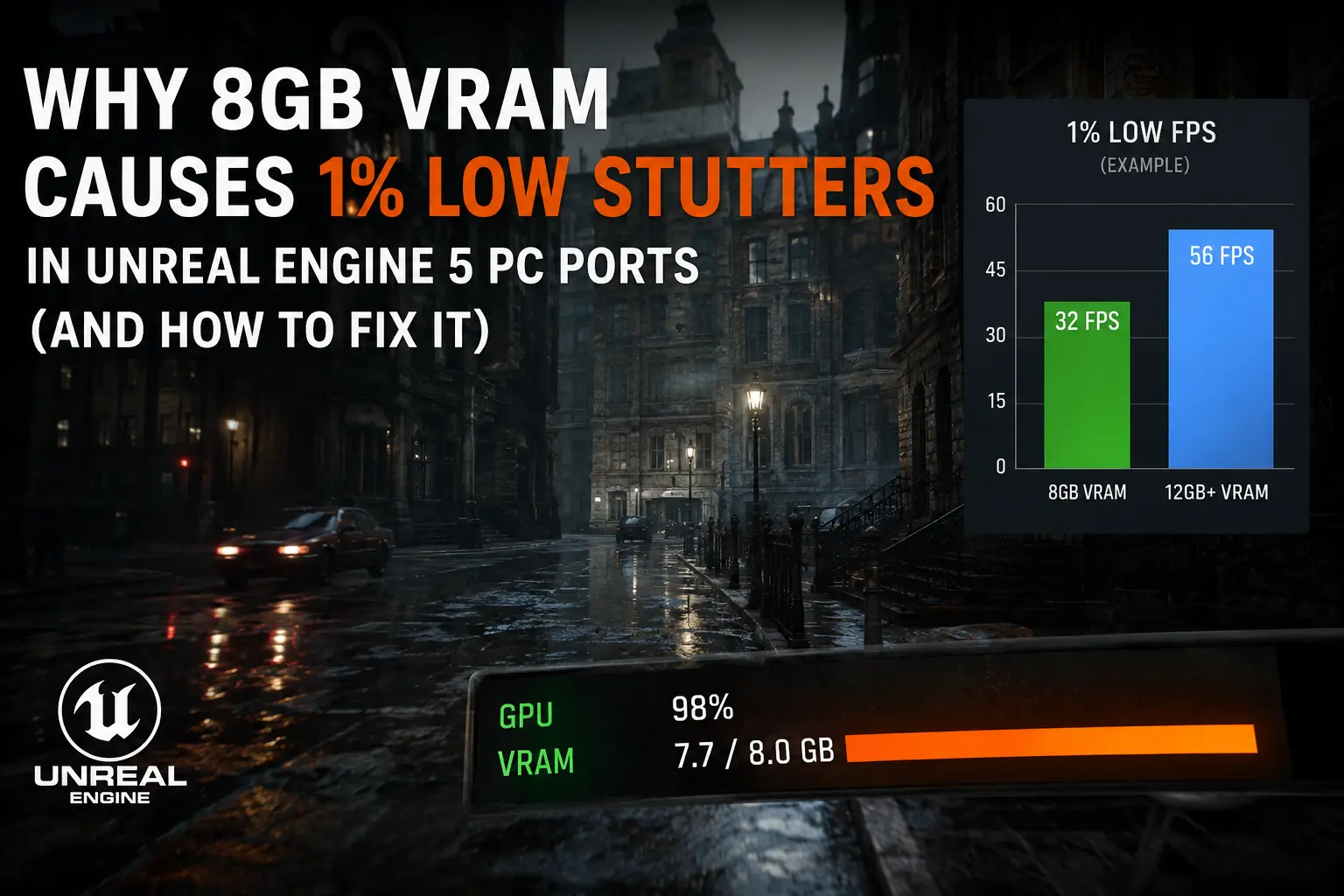
And if your GPU runs out of dedicated memory, system RAM becomes part of the story again. Our article on why 8GB VRAM causes stuttering in modern PC games discusses how painful the VRAM-to-system-memory boundary can become in another workload.
Integrated Graphics Are a Different Animal
An iGPU usually shares system memory. So a PC with 16GB RAM and integrated graphics does not suddenly have “16GB RAM plus GPU memory.” Both sides are eating from essentially the same pool.
That can still perform well when the processor has strong memory bandwidth and a good inference backend, but capacity must be planned more carefully. This is one reason high-memory APUs and unified-memory designs are increasingly interesting for local AI. We touched on that trend in our gaming laptop vs mini PC comparison.
Q2 vs Q4 vs Q5 vs Q8: The Trade-off Nobody Should Reduce to One Ranking
Q2: The “I Refuse to Download a Smaller Model” Option
- Pros: Tiny weight footprint; can make otherwise impossible parameter counts fit.
- Pros: Less memory traffic can help decode performance.
- Cons: Quantization damage can become obvious, particularly on reasoning, coding, factual precision and instruction-following tasks.
- Cons: A bigger heavily damaged model does not automatically outperform a smaller clean Q4/Q5 model.
Q4_K_M: The Sensible Default
- Pros: Strong memory savings without extreme compression.
- Pros: Excellent fit for 8B–14B models on mainstream machines.
- Pros: Usually leaves room for useful context windows.
- Cons: Not lossless; demanding workloads can still benefit from higher precision.
Q5_K_M: Spend RAM Where It Can Matter
- Pros: Lower quantization error than Q4.
- Pros: Still dramatically smaller than FP16.
- Cons: Extra size cuts into context and OS headroom on 16GB.
- Cons: Token generation may be somewhat slower on bandwidth-limited CPUs.
Q8: Quality Insurance With an Expensive Premium
- Pros: Very little loss from weight quantization.
- Pros: Useful for smaller models or tasks unusually sensitive to quantization.
- Cons: Roughly twice the weight data of the four-bit neighborhood.
- Cons: Often a poor use of scarce memory when the same RAM could accommodate a stronger model at Q4/Q5.
Prompt Speed and Generation Speed Are Not the Same Benchmark
When you paste a giant document into a local model, the computer can process many input tokens in parallel. This stage is generally called prompt processing or prefill.
Generating the answer is different. Token 201 depends on token 200, so decoding is inherently sequential.
This is why you might see hundreds of prompt-processing tokens per second yet only 8, 15 or 30 generated tokens per second on the exact same system.
Never compare two setups using a single “tokens/sec” figure unless you know whether it measures prefill or text generation. The official llama.cpp project includes llama-bench precisely because inference performance has multiple phases and parameters.
Three Realistic 16GB PC Scenarios
Scenario 1: 16GB RAM, No Useful Discrete GPU
An 8B Q4_K_M or Q5_K_M is the safe starting point. If performance is comfortable, test a 12B–14B Q4. CPU memory bandwidth will matter heavily, so don't assume a newer processor with more cores will automatically double generation speed.
Scenario 2: 16GB RAM + 8GB Dedicated VRAM
This is a much nicer local-LLM setup than the RAM number suggests. Offload as much of an 8B model as comfortably fits in VRAM and measure the result. A 12B–14B quant can also become practical with partial offloading.
Scenario 3: 16GB Shared-Memory Laptop or Mini PC
Be conservative. The CPU, GPU and model may be competing for the same physical memory. An 8B Q4 is generally a much saner first experiment than immediately forcing a 14B Q5 configuration into the machine.
If your platform itself is becoming the limiting factor, our upgrade vs build-new PC guide can help determine whether adding RAM makes more sense than replacing the whole system.
Things I Would Change Before Dropping to Q2
- Reduce context length. A 32K context is pointless if you normally write five-message conversations.
- Close memory-heavy browser tabs and background software.
- Use Q4_K_M instead of Q5 or Q8.
- Increase GPU offloading if you have unused VRAM.
- Try a slightly smaller but newer model architecture.
- Measure actual text-generation speed instead of judging startup time.
- Only then consider very aggressive Q2/Q3 quantization.
The Hugging Face llama.cpp integration documentation is also a useful starting point if you're new to how GGUF models are packaged and launched.
If 16GB Is Not Enough: Better Alternatives Than Fighting the Page File
The obvious solution is 32GB RAM, but that isn't the only option.
- Use a smaller Q4/Q5 model: frequently better than an oversized Q2 model.
- Use GPU offload: particularly attractive with 8GB, 12GB or more dedicated VRAM.
- Reduce context: often the cheapest memory upgrade because it costs nothing.
- Use task-specific models: a good 7B coding model can outperform a larger general model on coding tasks.
- Consider MoE carefully: active parameter count can make compute requirements look small, but the expert weights still need somewhere to live. Total memory footprint does not disappear just because only some experts activate for each token.
One More Behind-the-Scenes Detail: Architecture Can Beat Parameter Count
A 14B model is not simply an 8B model that ate more breakfast.
Different architectures use different attention layouts, KV head counts, expert structures, vocabulary sizes and hidden dimensions. Two models with similar parameter counts can therefore consume different amounts of context memory and run at different speeds.
That is why “How many billion parameters can 16GB run?” is the wrong question.
A much better question is:
How large are the quantized weights, how much runtime memory does my chosen context require, and how many bytes must my hardware move for every generated token?
Final Words and advice
For most PCs with 16GB of RAM, Q4_K_M is the safest starting point. It gives enough compression to leave real memory headroom while usually avoiding the aggressive quality loss associated with very low-bit quantization.
If you're running roughly 7B–9B models, Q5 is also easy to justify and Q8 can fit if you specifically value precision over memory efficiency.
For 12B–14B models, Q4 is where the balance becomes especially attractive. Q5 may still work, but long contexts and background applications need more attention. Q8 usually spends too much of the machine's limited memory budget on weight precision.
Going beyond that is less about asking whether Windows can technically load the GGUF and more about whether you want to actually use the thing. A 20B or 30B model compressed into submission may look impressive in Task Manager, but a smaller Q4/Q5 model that answers quickly, keeps a useful context window and doesn't send the machine into swap is usually the better local assistant.
The lesson is simple: 16GB isn't too little for local AI. It is just too little for careless local AI.
Pick the quantization before you obsess over parameter count, leave memory for the context cache, watch your real generation speed, and let the hardware tell you where its comfortable limit is.

Comments 0
Be the first to comment!