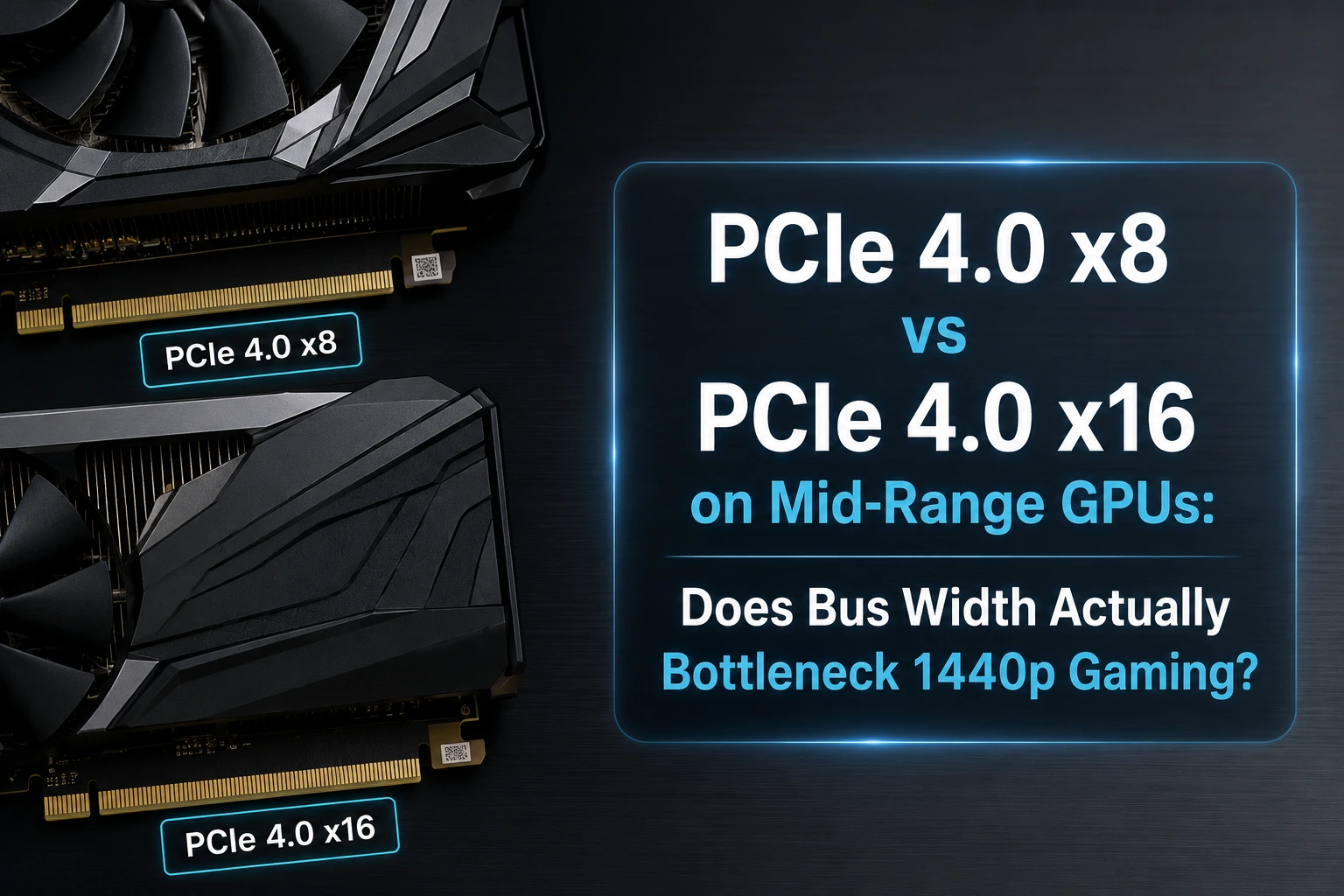
Picture your GPU as a very expensive, very impatient chef standing in a kitchen. PCIe lanes are the delivery hallway bringing in ingredients from the pantry (your CPU and system RAM). Cut that hallway from sixteen lanes wide to eight, and the internet immediately assumes the chef is starving. In reality, most of the time the chef already has a fridge the size of a small apartment sitting right next to the stove. That fridge is called VRAM, and it does most of the heavy lifting.
That's basically the whole PCIe x8 vs x16 debate in one kitchen metaphor. But "basically" is doing some work in that sentence, so let's actually open the hood and see what happens when a mid-range 2026 GPU gets half its lanes chopped off.
Let's start with fast answer
For 1440p gaming on a modern mid-range card, PCIe 4.0 x8 is very close to PCIe 4.0 x16 in almost every title — usually within 0-3%. The gap only opens up when VRAM runs out, when you're stacking an NVMe drive that steals lanes from the GPU slot, or when you're pairing the card with an older PCIe 3.0 motherboard, which effectively halves the bandwidth again. VRAM capacity, not lane width, is the real performance killer on today's 8 GB and 12 GB cards.
What PCIe x8 and x16 Actually Mean, Behind the Scenes
Every PCIe lane is a private two-way data road between your GPU and the CPU/motherboard. A x16 slot gives the card sixteen of these roads running in parallel; a x8 slot gives it eight. PCIe 4.0 also doubled the throughput of each lane compared to PCIe 3.0, which is exactly why a PCIe 4.0 x8 connection ends up carrying roughly the same total traffic as an old-school PCIe 3.0 x16 slot. Same number of lanes on paper, wildly different real bandwidth, according to the PCI-SIG specification that governs the standard.
| Configuration | Approx. Bandwidth (one direction) | Roughly Equivalent To |
|---|---|---|
| PCIe 3.0 x8 | ~7.9 GB/s | Half of PCIe 3.0 x16 |
| PCIe 3.0 x16 | ~15.75 GB/s | Same as PCIe 4.0 x8 |
| PCIe 4.0 x8 | ~15.75 GB/s | Same as PCIe 3.0 x16 |
| PCIe 4.0 x16 | ~31.5 GB/s | Same as PCIe 5.0 x8 |
| PCIe 5.0 x8 | ~31.5 GB/s | Same as PCIe 4.0 x16 |
| PCIe 5.0 x16 | ~63 GB/s | Double PCIe 4.0 x16 |
Notice the pattern: a card wired for x8 on a newer generation isn't automatically "half a GPU." It just needs the right PCIe generation to close the gap, which is exactly the trick manufacturers have been leaning on for the last two GPU generations.
Which Mid-Range GPUs Actually Ship With x8 Lanes in 2026
This isn't a hypothetical. Several very popular mid-range cards physically only have eight lanes wired to the die, no matter what slot you put them in.
| GPU | PCIe Interface | Full-Bandwidth With |
|---|---|---|
| RTX 4060 Ti | PCIe 4.0 x8 | Any PCIe 4.0 board |
| RTX 5060 / 5060 Ti | PCIe 5.0 x8 | PCIe 5.0 board (equal to 4.0 x16 on a Gen4 board) |
| RX 6600 XT | PCIe 4.0 x8 | Any PCIe 4.0 board |
| RX 7600 | PCIe 4.0 x8 | Any PCIe 4.0 board |
| RX 9060 XT | PCIe 5.0 x16 (full lanes) | Not lane-limited at all |
The takeaway here is that Nvidia and AMD have both been quietly shipping x8-wired silicon in the mid-range tier for a while now, mostly to save die space and cut manufacturing cost on smaller GPU packages. AMD's RX 9060 XT is actually the outlier that bucked the trend by keeping full x16 lanes, which its own marketing leaned on pretty hard.
What Really Happens Behind the Scenes When You Cut the Lanes in Half
Here's the part most spec sheets skip. A GPU doesn't constantly stream data across the PCIe bus while gaming. Once textures, geometry, and shader data load into VRAM, rendering happens locally, GPU talking to its own memory, which runs at multiple hundreds of gigabytes per second, far beyond anything PCIe offers. The bus mostly gets used during level loads and texture streaming bursts, not during the actual frame-to-frame rendering loop. So when the whole working set of assets already fits comfortably inside VRAM, the PCIe bus is basically idle most of the time. Halving it from x16 to x8 changes very little, because the bottleneck was never really there to begin with.
Where the Bandwidth Actually Gets Used
- Initial asset loading — level transitions, fast travel, loading screens
- Texture streaming — open-world games constantly swapping mip levels as you move
- VRAM overflow — when the frame buffer runs out and data spills into system RAM
- Upload traffic — dynamic geometry, shader compilation, ray tracing acceleration structure updates
- Multi-device transfers — capture cards, NVMe DirectStorage loading, multiple GPUs
When PCIe x8 Becomes a Genuine Bottleneck
This is where the "it doesn't matter" crowd oversimplifies things a little. There is one scenario where x8 hurts, and it's becoming more common, not less, in 2026: running out of VRAM.
When a game needs more video memory than the card physically has, textures and assets get pushed out to system RAM and pulled back over the PCIe bus on demand. That's a fundamentally different workload than normal rendering, and it's exactly where lane width stops being a footnote. Independent testing on the 8 GB variants of recent mid-range cards found that once VRAM was exceeded at 1440p with high-quality textures, frame rates and especially 1% lows collapsed noticeably harder on the x8-limited card than on its x16 sibling, even with a newer PCIe generation partially compensating. TechSpot's PCIe scaling tests on the RTX 5060 Ti 8GB showed exactly this pattern across multiple demanding 2026 titles.
This is also why we keep repeating on this site that VRAM capacity deserves more attention than clock speeds. If you're building around a card with only 8 GB and running texture packs meant for 1440p or higher, you're setting up the exact conditions where bus width finally matters. It's a topic we cover in more depth in our breakdown of upcoming AAA titles and their GPU requirements, where VRAM headroom is already shaping up to be the limiting factor, not raw shader count.
Other Situations Where x8 Bites
- Pairing the GPU with an older PCIe 3.0 motherboard, which effectively drops an x8 4.0 card down to x8 3.0 bandwidth
- Populating an NVMe slot that shares lanes with the primary GPU slot (common on budget boards)
- Running two GPUs, or a GPU plus a capture card, on a chipset with limited total lane count
- Heavy use of DirectStorage-style asset streaming straight from SSD to GPU
When the Difference Is Basically Invisible
On the flip side, PCIe scaling tests on flagship GPUs running at reduced bandwidth found ray tracing workloads lost almost no performance when comparing PCIe 4.0 x16 to PCIe 5.0 x8, two configurations with identical bandwidth, according to TechPowerUp's PCI-Express scaling review of the RTX 5060 Ti. Heavier compute stages like ray tracing tend to be GPU-bound rather than transfer-bound, which naturally hides bandwidth limitations. Similar testing on the AMD side, going back to the RX 6600 XT's x8 interface, measured only a small single-digit percentage drop even when the card was forced down to PCIe 3.0 speeds, effectively quartering its original bandwidth, according to TechPowerUp's RX 6600 XT scaling data. That kind of margin shows up on a benchmark chart and nowhere near your actual gameplay.
Architecture matters too. GPUs with larger on-die caches, think Infinity Cache on AMD or growing L2 cache on recent Nvidia silicon, reduce how often the chip has to reach outside itself for data, insulating them further from lane-count changes. Older, linear titles barely stream at all and won't care about PCIe width; open-world engines with aggressive streaming are the ones most likely to expose a real gap.
CPU Platform and Motherboard Chipset Considerations
Lane count isn't only a GPU story. Your CPU exposes a fixed number of PCIe lanes, and the chipset carves those up between the GPU slot, NVMe drives, and other add-in cards. On alot of budget and mid-range boards, populating a second M.2 slot knocks the primary GPU slot down from x16 to x8 electrically, even if the card was designed for x16. That's a platform limit stacking on top of whatever the GPU already ships with, and it's worth checking our guide on upgrading vs building a new PC in 2026 before you buy.
Background software adds one small wrinkle too. Capture tools, overlays, and browser tabs don't touch the PCIe bus directly, but they compete for system RAM and CPU cycles, which indirectly affects how smoothly streaming behaves, a topic we cover in how much RAM Discord, OBS, and Chrome use while gaming.
PCIe 4.0 x8 vs x16: Pros and Cons
PCIe 4.0 x8 (Half-Width GPU)
- Pros: Cheaper to manufacture, often reflected in card price; smaller PCB enables compact and small-form-factor builds; effectively invisible in most 1440p gaming with adequate VRAM
- Cons: Noticeably worse when VRAM is exceeded; loses more ground on older PCIe 3.0 boards; less headroom for future multi-device setups
PCIe 4.0 x16 (Full-Width GPU)
- Pros: Full bandwidth headroom regardless of platform age; better resilience under VRAM-overflow situations; safer long-term pick if you also run NVMe drives or capture hardware
- Cons: Larger PCB, usually reserved for pricier tiers; the extra bandwidth mostly goes unused in typical 1440p gaming anyway
Quick Verdict by Use Case
| Scenario | Does x8 vs x16 Matter? |
|---|---|
| 1080p/1440p esports titles | No — differences are within margin of error |
| 1440p AAA gaming, 12 GB+ VRAM | Rarely — small, mostly unmeasurable in FPS |
| 1440p with an 8 GB card and high textures | Yes — VRAM overflow makes lane width relevant |
| PCIe 3.0 motherboard + PCIe 4.0 x8 GPU | Sometimes — combined bandwidth loss can add up |
| Multi-GPU or GPU + capture card | Yes — shared lanes reduce available bandwidth |
Alternatives to Worrying About PCIe Lanes
If you're shopping for a mid-range card in 2026 and trying to decide how much weight to put on PCIe lane count, honestly, it should rank pretty low on your checklist. VRAM capacity, GPU architecture, and driver maturity move the needle far more. If you want a direct comparison of two of the more popular current mid-range options, our RTX 5070 Ti vs RX 9070 XT 1440p battle covers exactly that trade-off. And if space or thermals are part of your decision too, our look at gaming laptops vs mini PCs in 2026 touches on how compact form factors and x8-wired GPUs tend to go hand in hand.
Finally
PCIe 4.0 x8 does not meaningfully bottleneck 1440p gaming on a properly VRAM-equipped mid-range GPU. The bus width scare is mostly a spec-sheet anxiety, not a benchmark reality, as long as two conditions hold: you're on at least a PCIe 4.0 motherboard, and your card has enough VRAM for the textures you're running. The moment either of those breaks — an old PCIe 3.0 board, or an 8 GB card pushed past its limit — x8 stops being a footnote and starts showing up in your 1% lows. Buy based on VRAM and architecture first; let lane count be the tiebreaker, not the deciding factor.
Frequently Asked Questions
Does PCIe 4.0 x8 reduce FPS compared to x16 at 1440p?
In most modern titles the difference is within a few percent, often inside margin of error. It becomes noticeable mainly when VRAM is exceeded or on an older PCIe 3.0 platform.
Is PCIe 5.0 x8 the same as PCIe 4.0 x16?
Bandwidth-wise, yes, they're roughly equal. That's exactly why Nvidia's x8-wired PCIe 5.0 mid-range cards perform close to full-lane PCIe 4.0 cards on modern boards.
Should I avoid GPUs that only use 8 PCIe lanes?
Not automatically. Check VRAM capacity and your motherboard's PCIe generation first, thats definately the bigger factor. An x8 card on a PCIe 4.0 or 5.0 board with sufficient VRAM is usually a non-issue for 1440p gaming.
Does an NVMe SSD sharing lanes with the GPU slot cause problems?
It can, on lower-end chipsets that dynamically reduce the primary GPU slot to x8 when a second M.2 drive is populated. Check your motherboard manual's lane-sharing diagram before assuming you have full bandwidth.
Does ray tracing make PCIe lane width more important?
Not really — ray tracing workloads tend to be GPU compute-bound rather than transfer-bound, so scaling tests generally show little to no extra sensitivity to lane width during ray traced rendering.
Is PCIe lane count more important than VRAM when buying a mid-range GPU?
No. VRAM capacity has a far bigger real-world impact on 1440p gaming than lane width. Prioritize VRAM and GPU architecture, then treat PCIe generation and lane count as a secondary, platform-level check.


Comments 0
Be the first to comment!